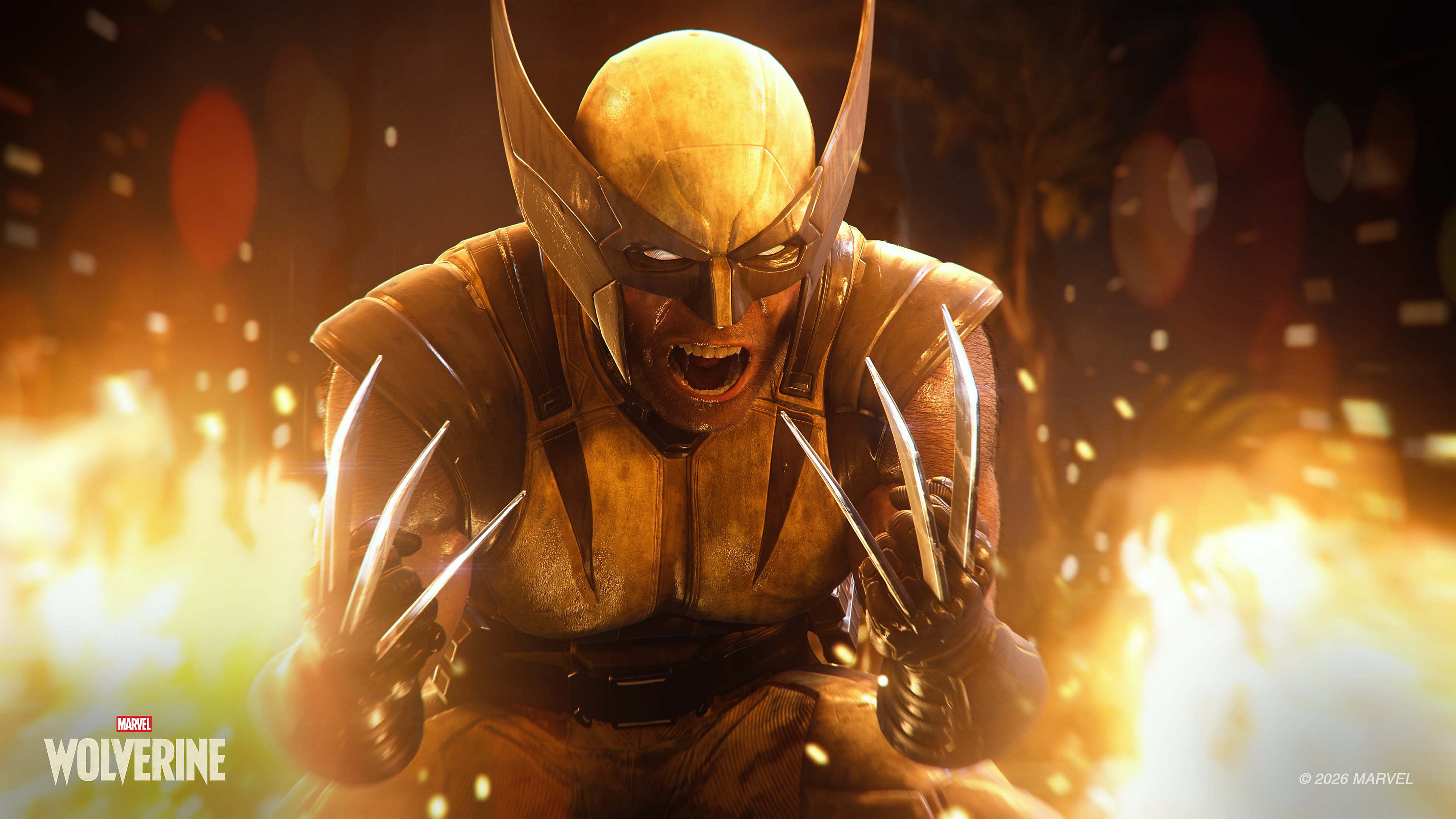

The long-awaited Marvel's Wolverine Photo Mode has finally been revealed. Six of the seven tabs are already confirmed, with Action Figure Mode, character position sliders, and composition guides all available from day one. Insomniac is clearly going all-in on this one.
In this article
Marvel's Wolverine launches on 15 September, and six of its seven photo mode tabs are now out in the open. Camera, Lens, Appearance, Character Controls, Filters, and the light editor.
Spider-Man 2 shipped in October 2023 without Action Figure Mode. It arrived about five months later, and the same update added sliders to move the character forward, back, left, right, up and down.
Both are on the Character Controls tab in Wolverine. Day one.
Camera
Camera Type sits on Free. Tilt handles roll. Hero Visibility and Enemy Visibility are inherited straight from Spider-Man 2, as is Visual Effects, set here to Stop.
Precision is a returning feature. Spider-Man 2 added it to the same tab, where it cuts camera movement speed and acceleration for finer control over framing.
Guides is the one with no counterpart. It cycles between values, so it's a set of composition overlays rather than a single grid. Spider-Man 2 has no grid at all.
Rage FX Enabled is greyed out in this scene. Display Senses is off but available. Both are Wolverine's own systems handed over as photographic controls.
The footer reads: move camera on the left stick, rotate on the right, L2 and R2 for height, triangle to hide the UI.
Lens
FOV, Exposure, Aperture, Focus Distance, DOF Range Near and DOF Aperture Near. This is Spider-Man 2's lens tab, control for control.
The split near-field values are the useful part and they aren't new. Giving the foreground its own range and its own aperture, separate from whatever sits behind the subject, is the difference between a soft frame and a soft subject. Insomniac worked that out already and hasn't touched it.
Appearance
Suits and colour styles are Spider-Man 2 features. The rest of this tab isn't.
Claws gets its own selector, separate from the suit. Then Toggle Claws and Toggle Cowl, each on its own line, each a straight on and off.
Claws out or claws in. Cowl up or cowl down. Those two calls decide what almost every Wolverine photograph is, and both are a single press inside photo mode instead of something you wait on the animation to hand you. Getting Logan's face and his claws in the same frame has historically meant catching one exact moment in a fight. Here you just set it.
Character Controls
This is the tab that matters.
Enable Pose is off in this shot, which greys out everything below it. With it on you get Character Pose, Facial Expression and Rotation, all familiar from Spider-Man 2.
Then Action Figure Mode, and three position sliders: Forward/Back, Left/Right, Up/Down.
In Spider-Man 2 those sliders were the headline of a post-launch update, and they work on the full-sized character too, not only the shrunken one. Being able to lift Logan six inches off the ground or slide him left out of a bad background is worth more day to day than the miniature trick that shipped alongside them.
Filters, Frames and Overlays
Filter Type with a Blend slider under it, greyed here because no filter is selected. Frame Type and Backgrounds, both from Spider-Man 2. Film Grain Strength and Sharpening, also returning.
Vignette is split into Intensity and Size, set to 0 and 60. A vignette you can widen or tighten independently of how dark it goes pulls the darkening off a subject sitting near the edge of frame.
Edit Light
Light Type, Intensity, Cast Shadows, Color, Color Intensity, Spread, Softness and Distance. Spider-Man 2 has all of it, including Softness and Spread.
The footer changes when you're in here. Left stick moves the light, right stick changes its angle, L2 and R2 raise and lower it. The orange gizmo in the scene is the light itself, sitting where it's been placed.
It's the same three-light rig Insomniac has been shipping for years, with the same parameters attached to it.
Against Spider-Man 2
The Wolverine column is read off these six panels.
| Option | Spider-Man 2 | Wolverine |
| Guides | No | Yes, cycles |
| Action Figure Mode | Added ~5 months post-launch | Yes, at launch |
| Character position sliders | Added ~5 months post-launch | Yes, at launch |
| Costume options | Suits and colour styles | Suit, claws, cowl and claw toggles |
| Game-specific FX toggles | Not applicable | Rage FX, Display Senses |
| Tab navigation | Modes plus L1/R1 tabs | One seven-icon rail |
| Three-light rig | Yes, sphere or spot | Yes |
| Light softness, spread, colour intensity | Yes, spot only | Yes |
| Lens, including split near DOF | Yes | Yes |
| Natural light elevation and rotation | Yes | Not in the six shown |
| Stickers | 10 layers, 380+ designs | Not in the six shown |
Built For This Character
Four controls across these panels exist only because the game is Wolverine.
Toggle Claws and Toggle Cowl on Appearance. Rage FX Enabled and Display Senses on the Camera tab, handing over the game's own combat and tracking effects as things you light and frame with.
A straight lift of the Insomniac template would have given us suit swapping and stopped. Someone went and asked what this particular character needs, then wired his systems into the camera. That's the difference between a photo mode a game has and one a game is built around.
What Isn't Here
One tab is still shut, the starburst at the bottom of the rail. Everything below is missing from the six we can see, which isn't the same as missing from the game.
Natural light. Insomniac's photo modes have carried a Natural Light Customise section since Spider-Man Remastered, with Elevation to raise and lower the sun and Rotation to swing it through 360 degrees. That is the closest thing any of these games have had to time of day control, and it's the one absence that would actually hurt.
Stickers. Spider-Man Remastered had ten layers and more than 380 designs across six categories, and Spider-Man 2 carried over 375. Either they're behind that last icon or they've gone the way of the selfie camera, which Spider-Man 2 dropped.
Film Grain Size, Frame Level and the chromatic aberration toggle are all in the older Insomniac feature set and none appear here.
Launches September 15
Marvel's Wolverine arrives 15 September on PS5 and PS5 Pro.
The last game to put Logan front and centre was X-Men Origins: Wolverine in 2009, back when photo modes weren't yet a standard feature. Seventeen years on, he finally gets a camera pointed at him properly.
Insomniac has handed over the whole kit on day one, then built four controls that only make sense on this character. For someone who spends most of his time masked with the claws put away, those four are what separate a screenshot from a portrait.
Seventeen years. On this evidence, worth the wait.