11 bit studios delivers a capable and considered photo mode for The Alters — well-structured, feature-rich, and genuinely enjoyable to use. A handful of specific limitations stop it reaching its full potential.
"Photo modes have become something of a litmus test for how much a developer trusts their own world. When a studio builds one out properly, it says: we believe this game is worth lingering in."
On that front, 11 bit studios deserves real credit. The Alters ships with a photo mode that feels considered and feature-rich — one that goes well beyond the basics.
Getting In and Getting Around
Access is clean and intuitive — a quick L3+R3 press on the DualSense drops you into photo mode without interrupting your rhythm. Once inside you'll find four tabs in total: Camera, Effects, Character, and a fourth dedicated solely to The Alters logo overlay. That last one being its own tab feels a touch generous given it offers little more than a branding stamp, but the separation does at least keep the other tabs uncluttered.
A toggleable 3x3 composition grid and a reset scene button round out the basics. The reset button in particular is genuinely useful when you've gone too far down an adjustment rabbit hole and need to start fresh.
A Capable Camera, with One Clear Wish
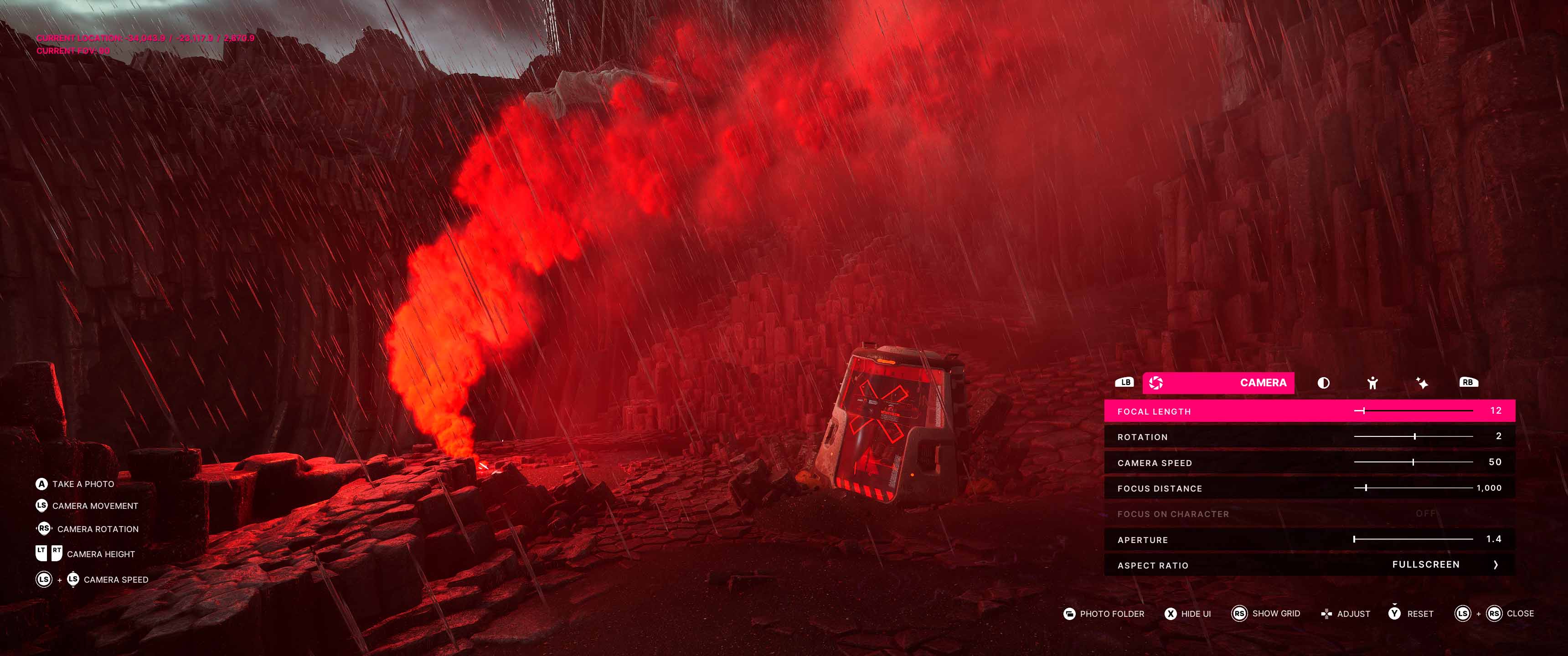
The Camera tab covers all the fundamentals well. You get 360° rotation with moderate range, a 90° Dutch angle tilt, an adjustable focal length slider, and real depth-of-field control — including auto-focus on character and aperture adjustment. Five aspect ratio options round out a solid set of tools.
For outdoor shots of Jan and the surrounding landscape, this works well. The stark, desolate environments photograph beautifully, and having real depth-of-field control makes a meaningful creative difference.
Inside the base, the one addition that would make an immediate difference is a camera collision toggle. Right now the camera clips and catches on seemingly nothing at all, making precise interior framing more of a battle than a creative act. A collision toggle and completely free camera would make movement dramatically more user-friendly and open up a wide range of shots that currently aren't possible.
Comprehensive, with One Odd Stumble
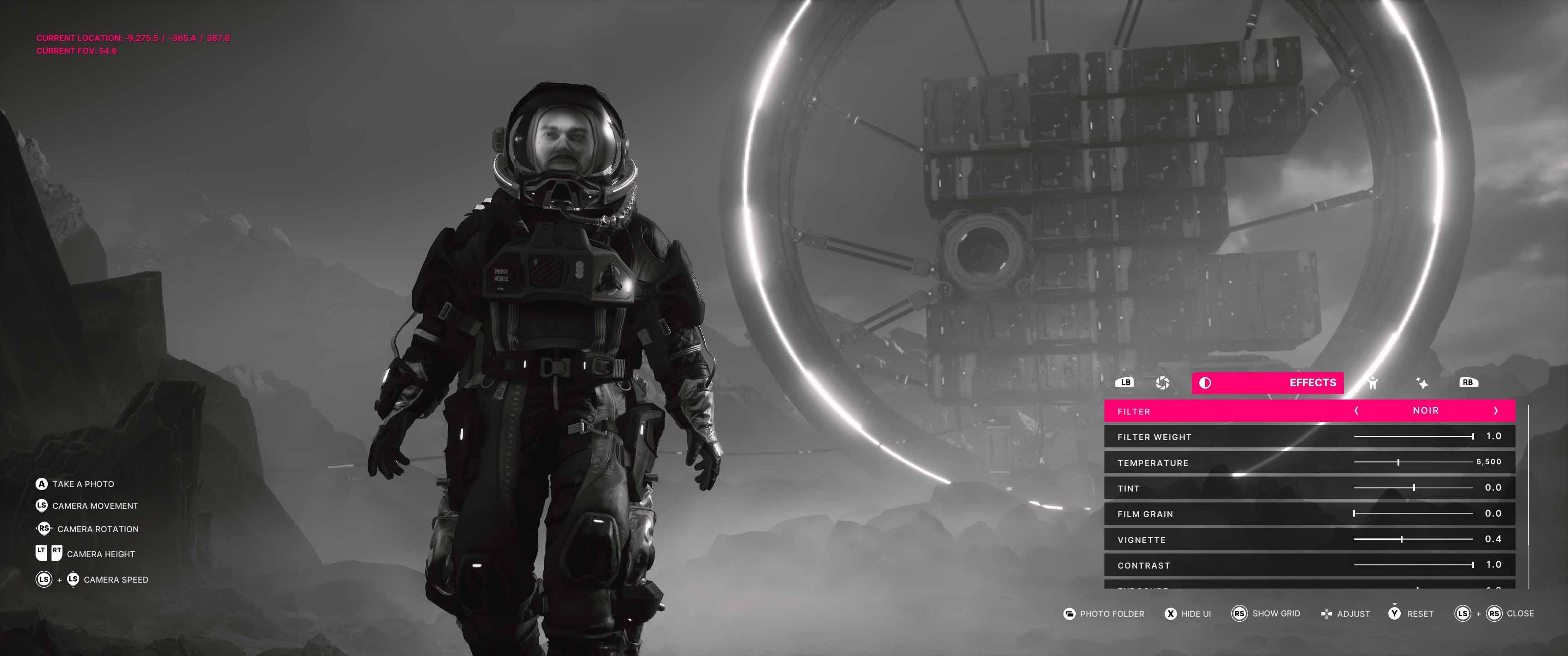
The Effects tab is where the mode earns a lot of its goodwill. Seventeen filters — each with an individual adjustment slider — give you meaningful creative range without overwhelming you. Temperature and tint sliders, film grain, chromatic aberration, and vignette controls are all present. A lens flare intensity slider is a nice touch for capturing the harsh, bleached light of the alien terrain.
Exposure and contrast sliders are included, but here's the odd one: contrast can only be reduced, not increased. It's a strange half-implementation that you'll bump into more than you'd expect — particularly when trying to punch up darker interior shots. It feels like an oversight rather than an intentional design choice, and hopefully something that gets patched.
Strong Tools, One Major Omission
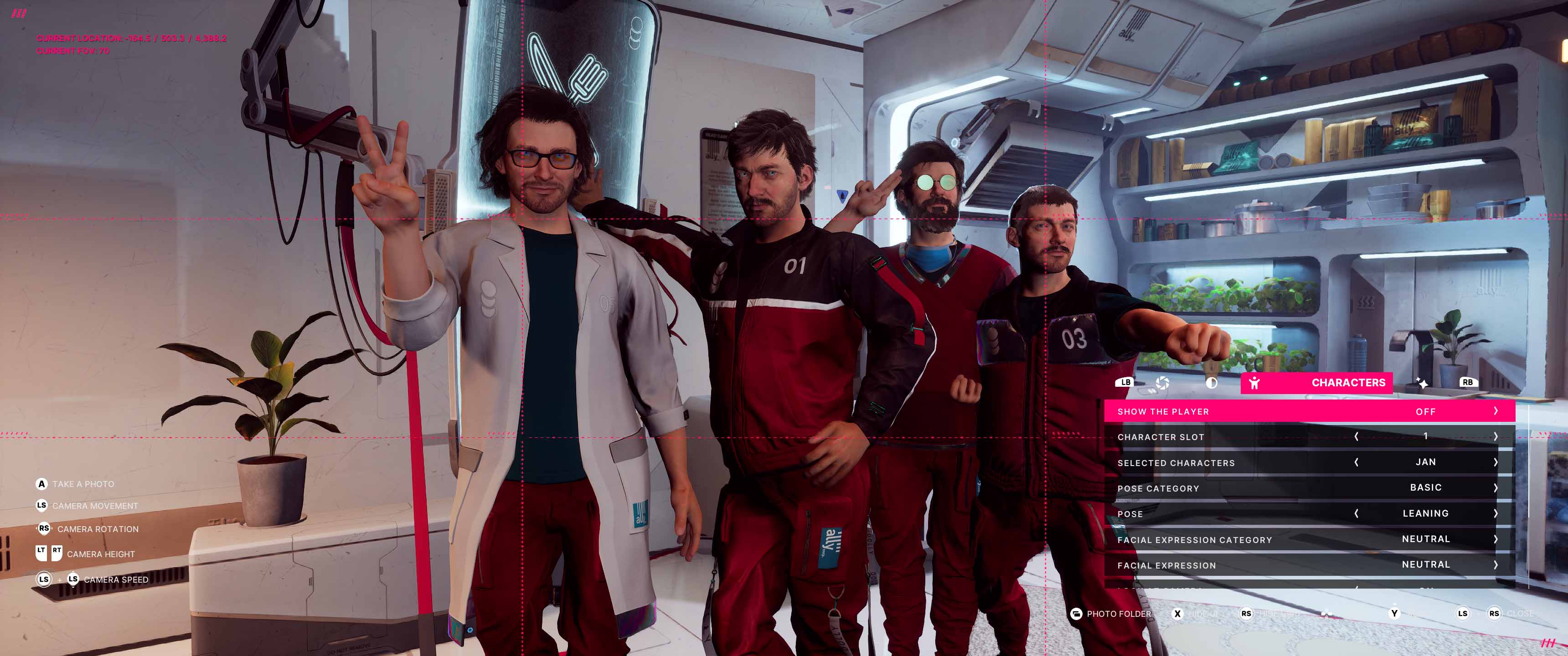
This is arguably where the photo mode shines brightest — and where its most interesting gap lives. You can show or hide the player character, add up to four additional characters, direct them with a look-at-camera function, and adjust their position and rotation. Five pose packs with over 100 poses and four facial expression packs with more than 40 expressions give you a genuinely impressive amount of control over how subjects look within a frame.
The catch: these controls apply only to added characters — not the Jans already present in the scene. It's the mode's most narratively frustrating limitation.
Given that the relationships between Jan's various selves are central to what makes The Alters so compelling, not being able to pose and arrange the full team is a real missed opportunity. The storytelling potential of staging a frame with every Jan in it — each carrying a different expression, a different posture — would be remarkable. That capability would elevate this from a good photo mode to an exceptional one.
A Branding Stamp That Wants More
The fourth tab exists solely to place The Alters logo on your image. It's a minor but appreciated option for players who want that finishing touch on social posts — the kind of detail that shows some thought went into the overall package. That said, having an entire tab for it sets expectations that aren't quite met. Logo placement is restricted to fixed locations, there's only one style available, and there's no manual positioning. More style variants and free placement would make this feel worth its own dedicated tab.
My Top 5 Wishlist
The Alters has a genuinely solid foundation. Here's what would push it from good to great.
#1 — Camera Collision Toggle
The single biggest frustration. Disabling collision would immediately open up interior shots that are currently impossible and make the whole experience far less fiddly.
#2 — Pose Control for Scene Characters
Being able to pose the Jans already present in your scene — not just the ones you add — would be transformative. The storytelling potential is enormous given the premise of the game.
#3 — Full Contrast Range
Right now contrast can only be reduced. Letting it go both ways is a basic fix that would noticeably improve shots in darker environments.
#4 — In-Game Lighting Controls
A basic point lighting system with colour control would give photographers a way to work creatively in the moody interior spaces — something the current toolset doesn't support.
#5 — Logo Tab Expansion
Free placement and multiple style options would make the branding tab feel worthy of its own dedicated space rather than a minor add-on.
Verdict
The Alters — A solid start with room to grow.
The Alters photo mode is a genuinely good effort. It's well-structured, offers real creative depth through its effects and character tools, and shows that 11 bit studios thought seriously about giving players a way to engage with their world beyond the main experience.
The 71 reflects exactly where it lands: above average, clearly functional, and enjoyable to use — but held back from greatness by specific limitations that feel very fixable. A camera collision toggle alone would address the single biggest frustration. Add a basic lighting system and the ability to work with the full Jan roster, and you'd have something genuinely special.
For now, it's a photo mode worth using. It just leaves you wanting a little more.
Reviewed on PC.
Enjoying our content?
Support the PMAs on Patreon and help us keep going