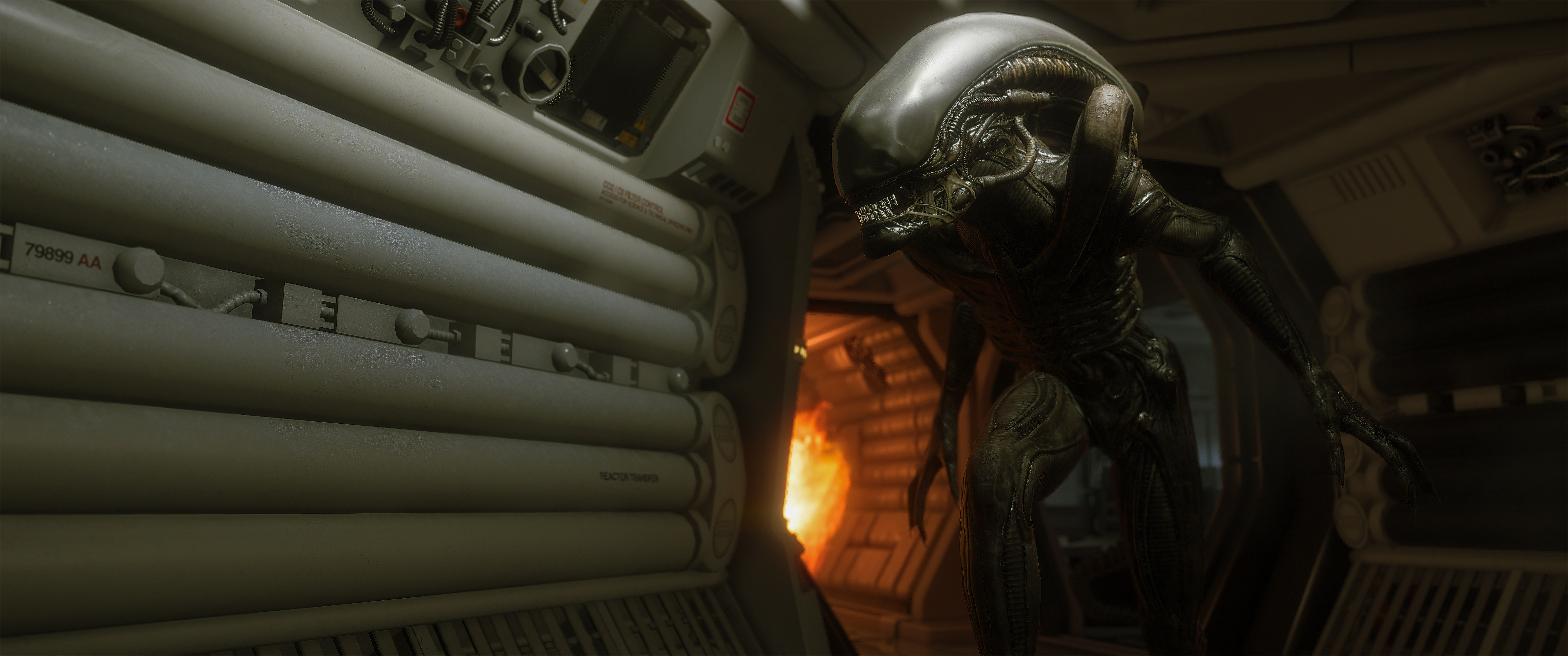

Alien: Isolation never shipped a photo mode. Cinematic Tools gives you a free camera, real focus control, and enough time to hold the xenomorph still and photograph Sevastopol the way it was built to be seen.
In this guide
Alien: Isolation is twelve years old and it still looks like nothing else. Creative Assembly built Sevastopol out of CRT glow, dirty white plastic and hard practical light, and every corridor in it is composed before you arrive.
What it has never had is a photo mode. No free camera, no way to hide the HUD, no depth of field you control. For a game this photogenic that has always been a strange gap.
Cinematic Tools, by Hattiwatti, fills it. A free external tool that injects into the running game and gives you a camera with no range limit, real focus control, and a set of switches for the post effects the game applies whether you want them or not. It is not a photo mode, and in a couple of places it shows. It is also the best way anyone has to photograph this game.
Getting It Running
The download is small. Alien Isolation Cinematic Tools.exe, CT_AlienIsolation.dll, Hotkeys.txt and Updater.exe.
Two things matter here, and both of them caused me crashes before I worked them out.
Run it as administrator. Right-click the exe, Run as administrator, every time. Launching it normally is the fastest way to take the game down with it. Worth knowing that Alien: Isolation itself wants the same treatment, since running the game as administrator is the documented fix for its disk access error.
Wait for the menu screen. Start the game, let it reach the main menu, and only then inject. Trying to hook it any earlier does not work and will usually crash you out.
The files do not need to live next to the game executable. Put them wherever you like.
You may also see an error about an update that could not be found. That is normal and it does not stop anything working. Ignore it.
When it hooks correctly you get a console window telling you so. Renderer initialized, UI Initialized, and a line about your controller if you have one plugged in.
Mods Worth Running Alongside It
Cinematic Tools gives you the camera. A couple of changes to the game itself will do as much again for the photographs that come out of it.
Improved Graphics
Improved Graphics by -Neato and -GPUnity is the one to install first. It is a small tool you run once, and it adds options to the game's own menu without replacing anything.
Field of view from 55 to 110, converted from the engine's vertical values to the horizontal ones every other game uses. Four new level of detail tiers, three above Ultra and one below Low. Shadow maps up to 4096. Two better reflection options, Balanced and Clear. Plus toggles for lens flares and the startup movies.
The field of view range is the reason to bother. Sevastopol is built out of narrow corridors and the stock FOV gives you no room to compose in them. The author suggests staying at or below 85, because higher values make Amanda's legs stop rendering. Invisible in first person, very visible once you take the camera off her.
The lens flare toggle is the other quiet win. This game points hard practical lights straight down its corridors and puts a flare on almost every one of them. Switching them off leaves you clean speculars to work with. If you would rather not run the tool, renaming the LENS_FLARE*.bin files in your DATA folder does the same job.
One thing the author flags that has nothing to do with the mod: the game has audio problems above 105fps. Cap your frame rate and they go away.
Anti-aliasing, and one trap
The anti-aliasing Alien: Isolation shipped with does not hold up on high-contrast edges, and this is a game made almost entirely of high-contrast edges. Alias Isolation is a temporal AA injector that fixes it, and it wants SMAA T1x, chromatic aberration off and motion blur on in the video options.
Read this before installing it. The updated performance fork of Alias Isolation does not support Cinematic Tools. The original injector does, and it actually ships with a modified build of Cinematic Tools included. Pick a route deliberately instead of installing both and wondering why the camera never appears. Both are Steam only.
The Controller Problem
This is the one real friction point, and it is worth knowing before it confuses you.
With the tool active and a controller connected, turning left and right in game slows down noticeably. It is not broken, but it is enough to make normal play awkward while you are lining up a shot.
What worked for me was leaving the tools window on screen rather than closing it, parked in a corner where it is almost out of frame. Turning goes back to normal and the panel is still one click away when you need it.
The Camera
Press Insert to take the camera, and you are free. No range limit, no tether to Amanda, no collision to fight. For a game built out of tight corridors that alone changes what you can photograph.
Framing
Field of view is a direct number, so you can pull to a wide establishing shot or push to something close to a portrait lens. Roll is on its own speed setting, so small deliberate tilts are easy to dial in instead of fighting.
The four speed values at the left are worth setting before you shoot anything. Movement, rotation, roll and FoV each have their own, and slowing rotation right down is what turns a twitchy free camera into something you can compose with.
Focus
Three controls, and they are better than most shipped photo modes. Focus distance sets the plane, Focus Scale sets how much of the scene stays sharp around it, and DoF Strength controls how hard everything else falls away.
Separating scale from strength is the useful part. You can hold a shallow plane and still keep the blur gentle, which matters in a game where the background detail is half the reason to take the shot.
Timescale and locks
Timescale slows the world down, which is how you catch the xenomorph mid-stride instead of hoping. The lock toggles hold field of view, depth of field or rotation steady while you move, which is how you get a clean push without the framing drifting.
Target Character with Lock to character keeps the camera trained on Amanda while you move around her. Camera tracks and saved profiles are there too, aimed more at video work than stills, but a saved profile is a quick way to keep a look across a session.
Visuals
This tab is mostly about taking things away, and that is exactly what this game needs.
Three checkboxes do the heavy lifting. Disable chromatic aberration, Disable radial distortion and Disable vignette. Alien: Isolation leans hard on all three to sell its lo-fi look, and while that works beautifully in motion, it means every still arrives with fringing on the edges, a bend in your straight lines and a dark ring you did not ask for.
Turn all three off and the game underneath is remarkably clean.
Above them sit brightness, contrast, saturation, gamma, a colour tint, and a full tonemap section with black point, white point, toe and shoulder strength. They work. I would still reach for ReShade for that kind of grading, because being able to switch a preset on and off while you shoot is more useful than nudging values in a panel.
Use this tab to remove what the game is adding. Use something else to add your own.
Hotkeys
F5 brings the tools UI up and down. Everything else is customisable from the Config window on the Misc tab.
F5 | Toggle the tools UI |
Insert | Toggle the camera |
Num 0 | Freeze time |
Delete | Hide HUD |
F1 | Create a camera track node |
F2 | Delete a track node |
F3 | Play the camera track |
I | Toggle invisibility |
F7 | Toggle character freeze |
W A S D | Move, with Space and Ctrl for up and down |
Invisibility is the one that changes how you work. With it on, the xenomorph stops hunting you, which means you can set up a shot in a corridor you would normally be sprinting through. Character freeze holds everyone in place while you move the camera around them.
Between those two and time freeze, you can photograph an encounter you would otherwise only ever see for a second and a half.
Two Things Worth Knowing
It removes the yellow objective highlights. Those glowing markers the game paints on doors and interactables disappear while the tools are active. For photography that is a gift, and it is one of the main reasons shots taken this way look so much cleaner than a normal screenshot.
Nothing you change sticks. Zoom in, pull the depth of field apart, push the tonemap somewhere strange. When you drop out of the camera the game goes back to its own settings. You can experiment freely without worrying about what you are leaving behind.
Go and Shoot It
Sevastopol rewards patience more than almost any environment in games. The lighting is already motivated, the set dressing is already composed, and the game gives you a creature that moves like a dancer if you can ever get it to hold still.
Now you can. Grab Cinematic Tools, run it as administrator, and go and take the photographs this game has been waiting twelve years for.
And Then There Is the Sequel
Creative Assembly announced Alien: Isolation 2 at Summer Game Fest in June. New protagonist, self-contained story, and a move off the station onto a storm-battered colony world, with a Weyland-Yutani outpost called Kurosaki Station to get lost inside.
Al Hope has said the Alien is smarter this time, the environment harsher, the chance of survival slimmer. A prologue demo went out at Gamescom in August. There is still no release date, and the studio has been blunt about not being ready to give one, so 2027 at the earliest is the safe assumption.
The first game had me at maximum stress from the opening hour to the credits. Nothing else has sustained that level of tension for as long, and I mean that as praise even while my nerves disagree. Whatever they do with a smarter Alien and a harsher world, I want to see it.
And it would be fantastic if it shipped with a photo mode. Sevastopol proved this team can build a space worth photographing. Twelve years on we are still relying on a community tool to do it justice.